Google Ads Placement Scanner
It transforms a messy URL dump into a clear, prioritized “Stop List”.
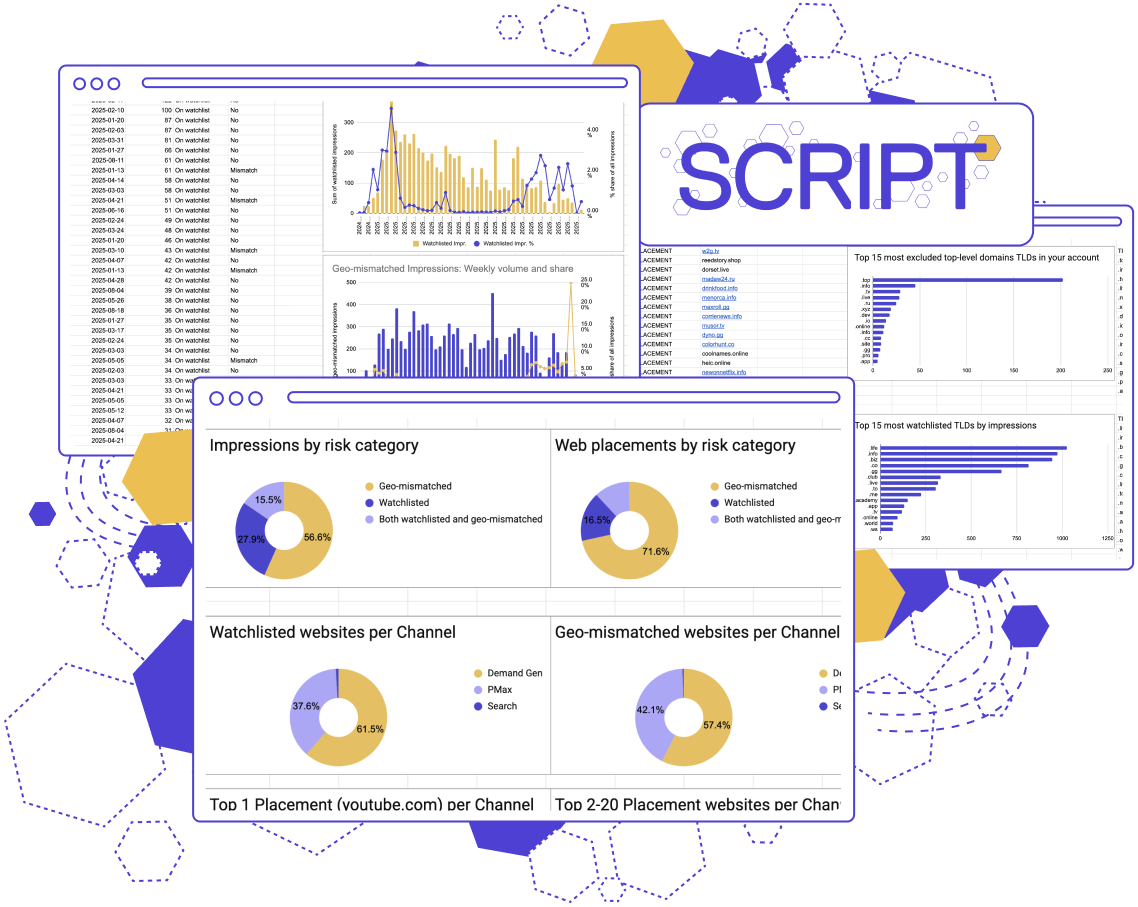
This script
offers:
Automated detection of “High-Risk” & spam placements
Geographic relevance auditing based on advertiser’s targeted location
Transparency for “Black Box” campaigns by breaking down placements by channel
The problem: you can’t audit what you can’t see.
If you run Performance Max or Display campaigns, you know the drill: Google loves pushing your ads across thousands of low-quality websites.
To find them, you need to read through Google’s Placement Report. A massive, unsorted list of thousands of URLs where high-volume, legitimate sites bury the low-volume, high-risk "zombie inventory" that drives up costs and serves no value.
You don’t need a spreadsheet, you need an analyst.
The solution:
Automatic risk detection
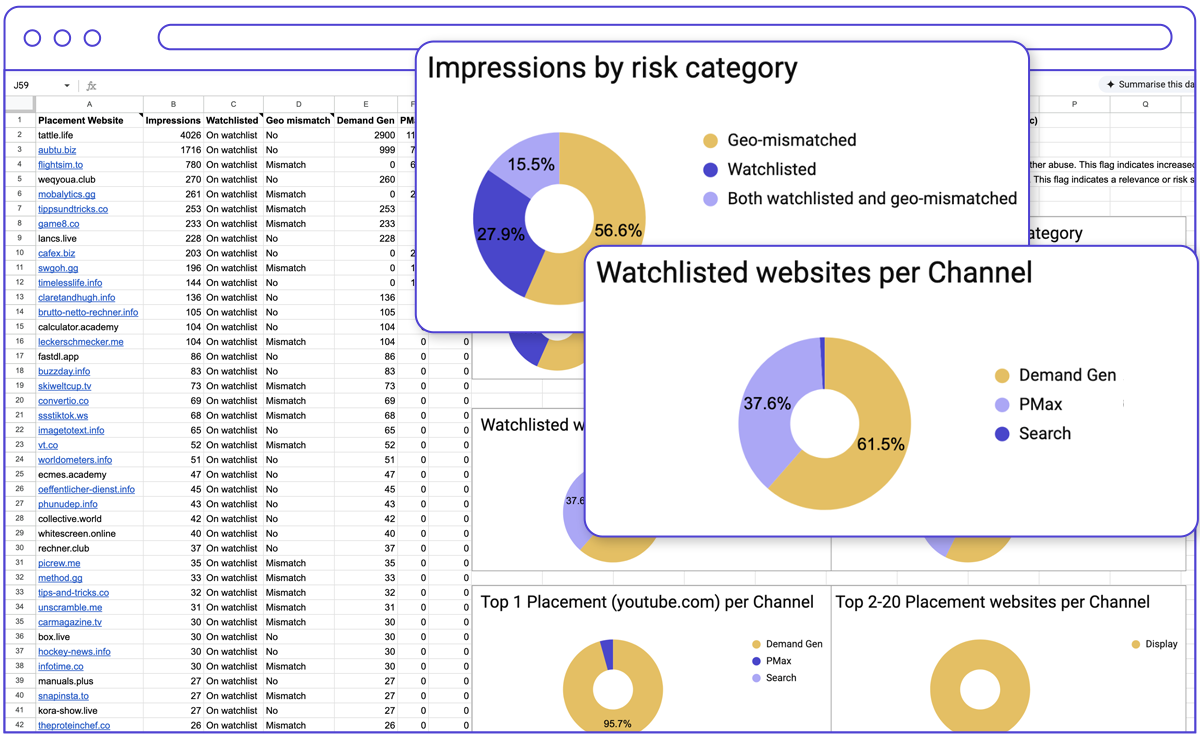
smec’s Placement Scanner is a free script that does the busywork for you. It reads your raw Placement Data and automatically flags the “toxic” websites that are bleeding your budget. It transforms a messy URL dump into a clear, prioritized “Stop List.”
Automated “Watchlist” Tagging: Cross-referencing against 125+ known abuse TLDs, based on research from Spamhaus, ICANN, and many others.
“Who did it”-charts: Donut charts show the channel split of impressions for the top sites, the long tail, and—crucially—a dedicated chart for watchlisted items, revealing which campaign type is driving the risk.
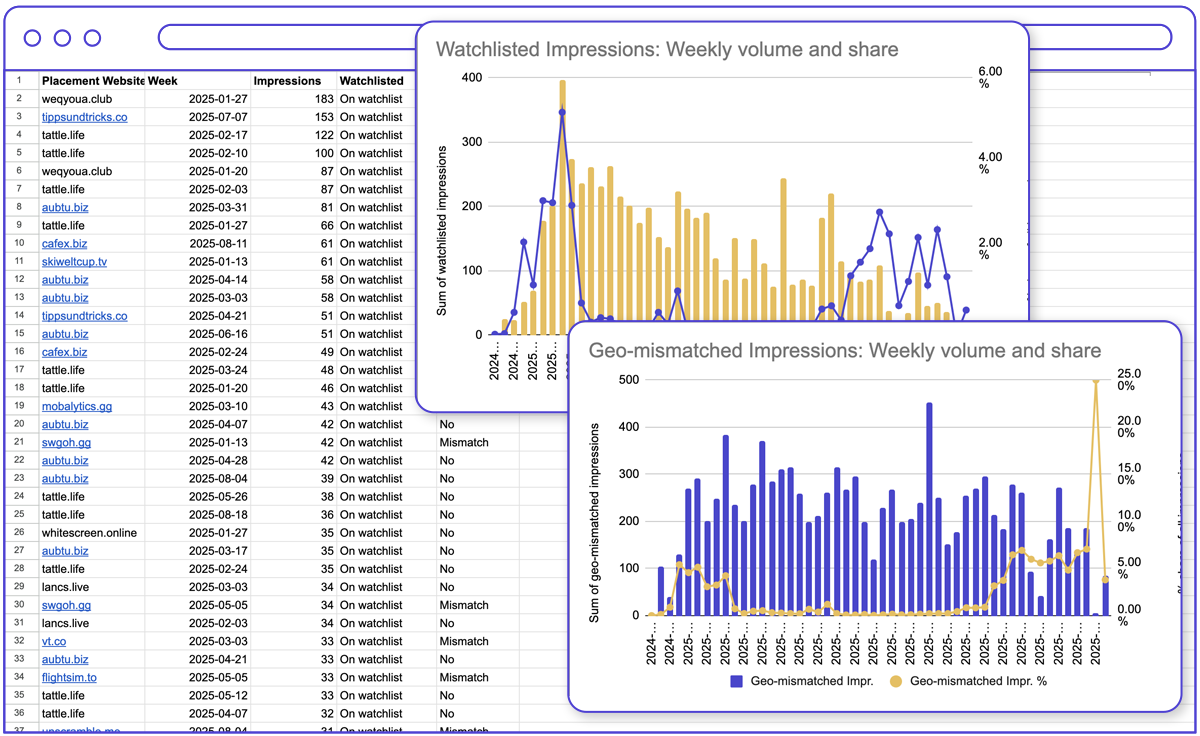
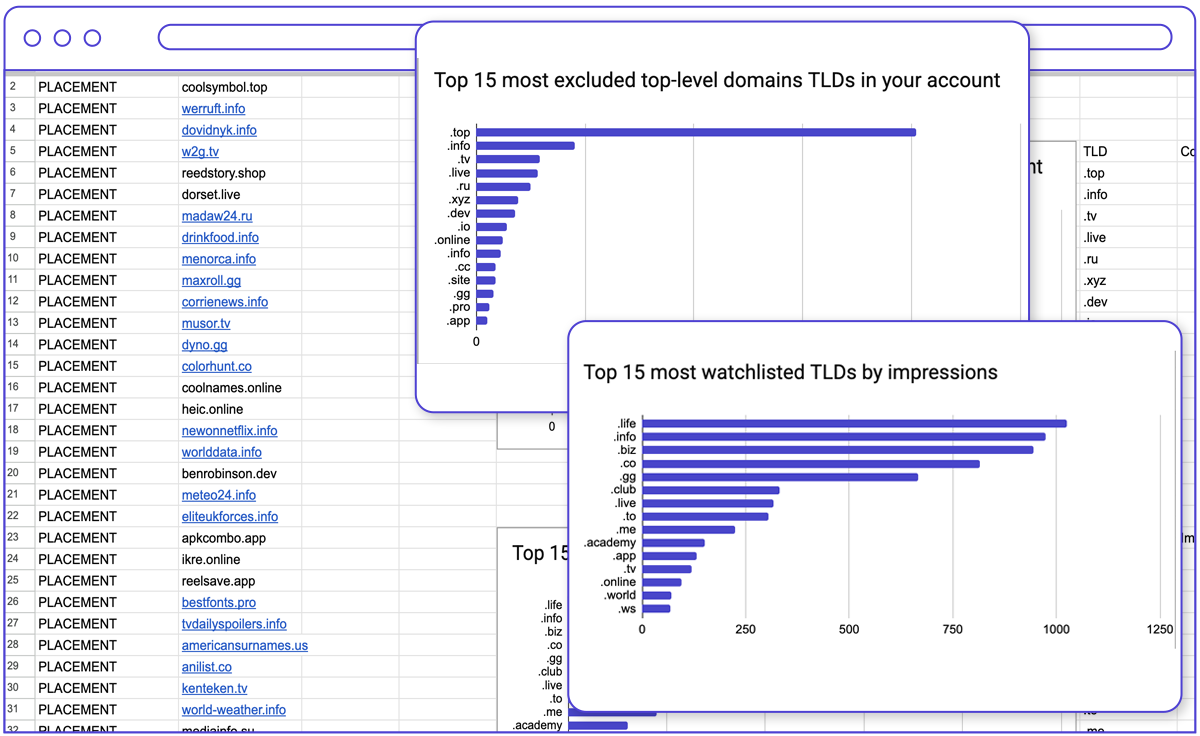
Visual dashboard: Spot trends before you lose money
The Placement Scanner script creates a simple, real-time dashboard that instantly provides clarity. No more endless lists.
- Weekly health trends: Are you successfully cleaning up your traffic, or is Google finding new junk sites? Track the percentage of impressions served on Watchlisted and Geo-Mismatched sites over time.
- Unique domain count: Monitor if your campaigns are scaling recklessly by tracking the count of unique placements appearing each week.
- Current placement exclusions: compare your historical TLD exclusions against current high-risk and geo-mismatched traffic, instantly revealing if your blocklists align with where your budget is actually being wasted.
💡 Note: This script analyzes website placements only and does not include other placement types (e.g. app, video, etc).
Get the Google Ads Placement Scanner script!
Start auditing your placements like a PRO. Leave your email below to unlock the script.
We take your privacy seriously. Read our privacy policy.
Get your script code below:
The code was successfully copied to your Clipboard.
Frequently Asked Questions
The Google Ads Placement Scanner reveals which website URLs bleed your budget—and which are safe—categorized and prioritized.
- Copy the flagged domains from the script.
- Paste them directly into your Google Ads Exclusion List.
- Protect your budget and stop the waste instantly.
In your Google Ads account, go to Tools → Bulk actions → Scripts, and create a new script. Delete the placeholder code. Then copy and paste the code from this page, once you register.
Next, look for this line in the code: const SHEET_URL = 'https://...';
Replace the sample URL with an actual empty Google Sheets that you created or copied.
That’s it — run the script, and it will output the audit dashboards right into the same Sheet.
| Feature | Standard Google Ads Report | smec’s Placement Scanner |
| Spam & malware detection | Manual, domain-by-domain review. | Automated "Watchlist" Tagging. Cross-references against 125+ known abuse TLDs. |
| Geographic risk | Hard to match site extensions with your campaigns’ target countries. | Geo-Mismatch Detector. Instantly flags location bleeding (e.g., US campaign serving on .ru or .cn domains). |
| Prioritized triage list | Sorted only by Impressions (fine sites dominate the top). | Smart Sorting by risk. Watchlisted and Mismatched sites float to the top. |
| Exclusion review | Static and difficult to distinguish existing exclusions from new data. | "Already Done" Highlighting. Visually grays out placements you've already excluded. |
| Channel insight | Data is often lumped together or requires extensive manual pivoting. | Granular channel breakdown. See exactly which campaign (PMax, Display, etc.) is feeding the spam segments. |