Subscribe to join thousands of other ecommerce experts
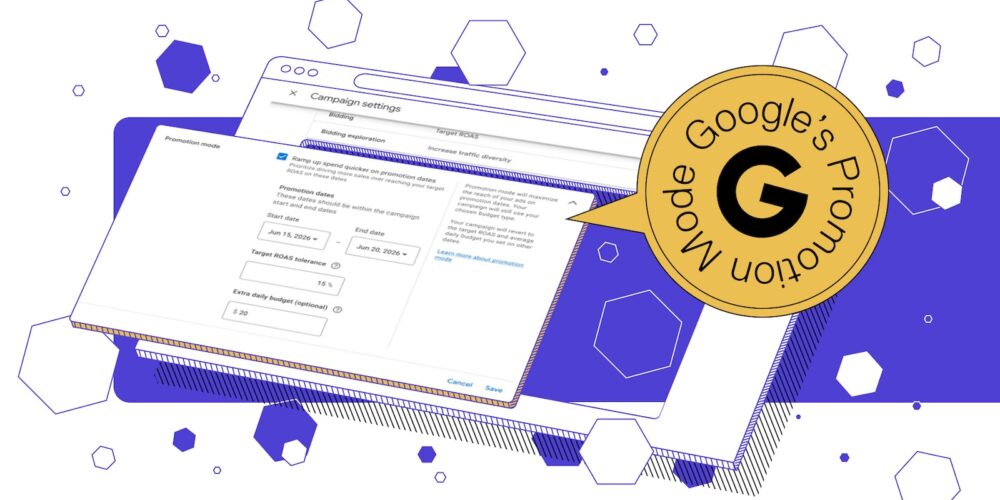
Google just gave PPC teams a new lever for Black Friday 2026: Promotion Mode. It lets you schedule a short promotional window, loosen your ROAS target, and add budget — then reverts everything automatically once the window closes.
It’s in beta now, rolling out on PMax and Search campaigns. And most Q4 playbooks haven’t accounted for it yet.
This edition breaks down what Promo Mode actually is, why it’s not the tool you think, and what to check before you schedule your first one.
Table of Contents
What is Promo Mode & a bit of context
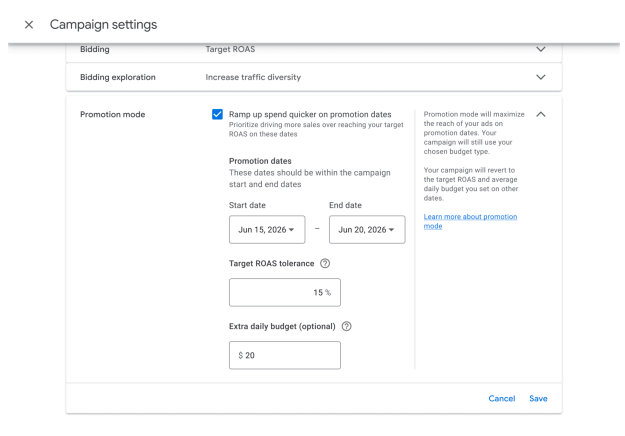
Promotion Mode is a new Google Ads bidding and budget feature for Search network campaigns running tROAS bid strategies. It lets you schedule a defined date range — a few days up to two weeks — where your target relaxes and (optionally) your daily budget gets a temporary boost.
When the window ends, both revert automatically. No end-of-sale scramble to remember what your “real” target was.
Every Black Friday, PPC teams have done a version of this manually: crank the target down, raise the budget, then race to undo it before the next billing cycle. Miss the revert and you’re either bleeding budget at a loosened target long after Black Friday’s over, or you reset too early and miss the Cyber Monday demand still coming.
Why this isn’t the tool you’re already using
If you’ve had Seasonality Adjustments running, you might assume this is the same thing. It isn’t.
Seasonality Adjustments tell Smart Bidding to expect a temporary spike in conversion rate — the ROAS target itself never moves. Promo Mode is the opposite: you’re deliberately loosening the target, trading some efficiency for volume, on purpose, for a window you control.
And if you’ve had Smart Bidding Exploration switched on, that’s not it either. SBE runs indefinitely in the background, while Promo Mode is time-boxed by design — built for the handful of days a year when “more volume, temporarily lower efficiency” is the right call, not a permanent setting.
Both can run at the same time on Search and PMax campaigns — but Google hasn’t documented how the two interact when they’re both active. That’s not a small gap if you’re running both during your highest-stakes week of the year.
What’s live now
- Search and PMax campaigns: eligible today, on tROAS bid strategies
- Budgets: works with both daily budgets and campaign total budgets.
- Window: 3 to 14 days, with auto-revert built into the setup flow — no manual step required.
The catch most teams will miss
Once a promo window is active, you can’t change your baseline ROAS target — only how much tolerance you’ve given yourself. Schedule it wrong, and you’re locked into that call until the window closes.
Which means the real decision — how much tolerance, which campaigns qualify, what your budget ceiling actually is — has to happen before Black Friday week, not during it.
Get that call right, and Promo Mode becomes incremental volume during the exact days it matters most. Get it wrong, and you find out live, with real budget on the line, during your highest-stakes week of the year.
The teams mapping this out now walk into Black Friday already scaled. The ones who wait will be making these calls live, under pressure.
Want to go deeper before Q4 hits? smec is running a live webinar with Mike Ryan — The 2026 Q4 Playbook: Scale Google Ads through the Holiday Peak. In 45 minutes you’ll learn how to:
- Manage the conversion lag with Demand Gen + remarketing before Black Friday
- Choose between Promo Mode (beta) and Seasonality Adjustments — and how each hits your budget
- Use smart audience controls in PMax so spend chases new customers, not repeat traffic
- Get your feed AI Max-ready with conversational attributes, product highlights, and dynamic titles

source on Google →